
Key takeaways
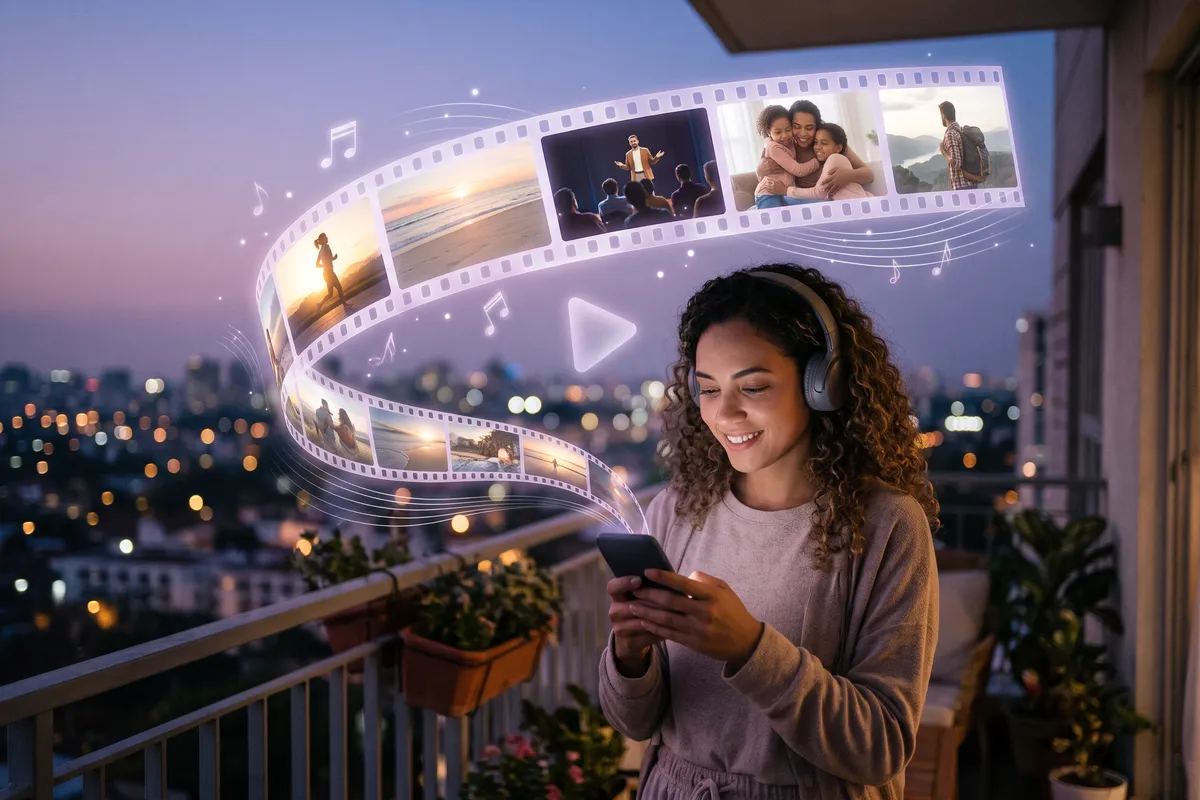
- What it is: A Mind Movie is a short video featuring images of your goals, affirmations in the present tense, and music—in other words, a vision board that moves and has sound.
- Choose the feeling first: Choose upbeat music if you want to get motivated, and calm music if you want to unwind.
- Watch it at the right moment: before a workout, before an exam, as you’re falling asleep—or in the morning, to help you focus on your most important goals.
- With music and your own voice: With Vision Board ++ (our app), you can turn your board into a video with music and spoken affirmations—even using your own voice.
A simple Mind Movie that you watch every day will help you more than a perfectly edited video that’s just gathering dust in a folder.
What is a Mind Movie?
A Mind Movie is a short, personal video featuring images of your goals, brief affirmations, and music. Each image depicts something you want to have, be, or experience in your life—a healthy routine, a new apartment, a loving relationship, your own business. Below or above each image is a sentence in the present tense, as if you’ve already achieved the goal: “I live in my bright apartment by the sea.”
You can think of a Mind Movie as a digital vision board in motion. Instead of a collage on the wall, you watch a short film for a few minutes. It reminds you of your goals through images, words, and sound. The term became widely known primarily through the Mind Movies brand, co-founded by Natalie Ledwell. Today, many people create their own Mind Movies using an app or a video editor on their phones.
What can a Mind Movie do?
A Mind Movie won’t simply make your wishes come true. It combines three elements: music, short affirmations to yourself, and images of your goals. There is research on each of these elements. Depending on the music you choose, you can use your Mind Movie in a wide variety of situations.
Motivation: When You Want to Get Yourself Going
Are you about to work out but don’t feel like it? A Mind Movie with fast-paced, energizing music, images of yourself in motion, and phrases like “I am strong and full of energy” can get you going. A meta-analysis on music during exercise found that music can boost mood, reduce perceived exertion, and improve performance. Fast music had a stronger effect on performance than slow music (Terry et al., 2020). Listening to music before a workout can also help set the right level of arousal and stimulate helpful mental imagery (Karageorghis & Priest, 2012). Your words matter, too: According to a meta-analysis of 32 studies, targeted self-talk improves athletic performance (Hatzigeorgiadis et al., 2011).
Relaxation: When You Can’t Unwind
Before an exam, a presentation, or surgery, your Mind Movie can serve as a brief relaxation exercise. This also applies in the evening when you’re in bed and your thoughts are racing. Use calm music, slow image transitions, and spoken affirmations such as “I am calm and well-prepared.” A Cochrane review found evidence that listening to music before surgery can reduce anxiety (Bradt et al., 2013). According to another Cochrane review, listening to music can improve self-reported sleep quality in people with sleep problems (Jespersen et al., 2022).
Your values can also help you cope with stress: In one experiment, participants wrote down their most important personal values before facing a stressful situation. Afterward, they exhibited lower levels of the stress hormone (cortisol) (Creswell et al., 2005). In another study, chronically stressed students performed better on difficult tasks under time pressure after completing such an exercise (Creswell et al., 2013).
In the Morning: Focus the Day on Your Goals
When you watch your Mind Movie in the morning, it reminds you of what’s truly important to you before your day begins. This helps you keep your values and goals in mind as you make the first decisions of the day. Tip: End your video with a specific “if-then” plan, for example: “If I take a break at noon, I’ll go for a ten-minute walk.” According to a meta-analysis of 94 tests, such plans increase the likelihood of achieving a goal (Gollwitzer & Sheeran, 2006).
Many people are also familiar with Mind Movies through Joe Dispenza. The author combines Mind Movies with meditation during his multi-day retreats. If you’d like to try this, watch your video right after a short meditation, when you’re relaxed and focused.
Mind Movie or Vision Board: What’s the Difference?
Both have the same goal: to keep your goals in mind every day. The difference is how they reach you.
| Characteristic | Vision Board | Mind Movie |
|---|---|---|
| Form | Collage of images and words | Video made up of images, text, and music |
| Senses | Sight | Sight and hearing |
| Viewing | A quick glance as you pass by | A few mindful minutes |
| Location | Wall, lock screen, widget | Phone, tablet, laptop (with headphones) |
| Effort | 10–30 minutes | 10–15 minutes using an app like Vision Board ++; significantly longer with Canva |
You don’t have to choose just one: Many people use their vision board as a wallpaper or widget for a quick glance throughout the day. They watch their Mind Movie at specific times, such as before a workout, in the morning, or when they want to unwind. If you already have a digital board, half the work for your Mind Movie is already done: the images and affirmations are already there. Find out which apps are best suited for this in our comparison of the best vision board apps.
How to Create a Mind Movie: Step by Step
There’s no set length or specific number of images. First, think about how you want to feel after watching the video. Then, base everything else on that.
- Choose a feeling. Do you want to feel energized or relaxed after watching the video? Everything else depends on that.
- Choose images that evoke this feeling. These can be your own photos or images from a library that resonate with you. A photo of yourself adds a personal touch to the video.
- Create affirmations that resonate with you. Write them in a positive way, in the present tense, in the first person, and as briefly as possible: “I am calm and well-prepared” instead of “I don’t want to be nervous.” You’ll find ideas in the best affirmation apps for iPhone.
- Record your affirmations. Use your own voice, or have an AI voice read them aloud. Spoken affirmations are effective even with your eyes closed—for example, when you’re falling asleep.
- Finally, choose the music. A fast tempo and a strong beat have an energizing effect. Slow, mostly instrumental music has a calming effect. If you want to share your video, use royalty-free music.
- Watch it at the right moment. For example, before a workout, an exam, or a presentation; before going to bed; or every morning to stay focused. Use headphones and adjust your video as your goals change.
Mind Movie Examples: Motivation, Relaxation, Focus
Use these examples as a starting point and rewrite the sentences in your own words. The better a sentence fits your life, the more it can resonate with you.
Motivation
- Music: a fast tempo and a strong beat—like your favorite workout song.
- Images: a photo of yourself in motion, a finish line, or the summit you want to reach.
- When: before your workout or before you start a task that you tend to put off.
- Affirmations:
- “I feel strong and full of energy.”
- “With every step, I get closer to my goal.”
- “I love the way I feel after a workout.”
- “Even if it gets tough, I’ll keep going.”
Relaxation
- Music: calm, slow instrumental music or music featuring sounds of nature.
- Images: the ocean, a forest, a cozy room, and people who make you feel safe.
- When: before an exam, presentation, or surgery, as well as in the evening when falling asleep.
- Affirmations:
- “I am calm and breathing deeply.”
- “I’m well prepared and have confidence in myself.”
- “I’m safe and in good hands.”
- “I let go of the day and find peace.”
Focus on Your Most Important Life Goals
- Music: warm and uplifting, at a moderate tempo.
- Images: The people who matter to you, your dream home, a fulfilling job, and yourself—healthy and happy.
- When: every morning after waking up.
- Affirmations:
- “I live according to what really matters to me.”
- “Today, I’m taking time for the people I love.”
- “My work fulfills me, and I grow every day.”
- “I make decisions today that I’m proud of.”
Our guide to creating a Feng Shui vision board will also help you align your life goals. It maps your goals to the nine areas of life on the Bagua chart.
What to Look for in a Mind Movie App
These criteria will help you determine whether you can use your Mind Movie for motivation, relaxation, and in the morning:
- A choice of music. Energizing before a workout, soothing before bed. You need both.
- Affirmations: library and your own. The library helps you get started. Your own sentences fit you more closely.
- Your own voice or an AI voice. Spoken affirmations work even when your eyes are closed.
- Your own photos and image library. Images that resonate with you, rather than generic stock photos.
- Reminders. That way, you’ll remember to watch your video before your workout or every morning.
- Streaks. They show you whether you’re sticking with it over the long term.
- Journal. Write down what becomes clear to you as you watch.
- Widgets. So you see your goals on your home screen throughout the day.
- Price and trial period. Try the ritual before you pay for it.
- Export as a video. This is important if you want to watch or share your Mind Movie outside the app.
Creating a Mind Movie: An Overview of Apps and Tools
You don’t need expensive software to make a Mind Movie. We took a look at these five apps. The information comes from the App Store and the providers’ help pages.
| App | Best suited for | Platforms | Free | Rating |
|---|---|---|---|---|
| Vision Board ++Our app | Board becomes a video with music and voice | iPhone, iPad | Boards yes, video with subscription | 4.9 out of 5 |
| Canva | Free-form design with templates | iPhone, iPad, Android, Web | Free download | 4.9 out of 5 |
| iMovie | Free editing on iPhone | iPhone, iPad | Yes | 4.4 out of 5 |
| Mind Movies Creation Kit | Watching ready-made Mind Movies | iPhone, iPad, Android | 9 ready-made videos | 2.9 out of 5 |
| Mind Movies | Mind Movies brand community | iPhone, iPad, Android | Free download | 3.6 out of 5 |
| App | Music | Affirmation Library | Your Own Voice | AI/Read-Aloud Voice | Image Library | Reminders | Streaks | Journal | Widgets | Video Export |
|---|---|---|---|---|---|---|---|---|---|---|
| Vision Board ++ | yes | yes | yes | yes | yes | yes | yes | yes | yes | no public information |
| Canva | yes | no | yes | yes | yes | not found | not found | not found | not found | yes |
| iMovie | yes | not found | yes | not found | not found | not found | not found | not found | not found | yes |
Vision Board ++: Your Board Becomes a Mind Movie
Best suited for: anyone who wants to create their Mind Movie on an iPhone in 10–15 minutes and watch it daily with music and spoken affirmations.
Not suitable for: Android users.

Price (U.S. App Store, as of October 2026): Free with an unlimited number of boards; $19 per year for the video with music and spoken affirmations
Free trial: 3 days · Rating: 4.9★
Try Vision Board ++ for free
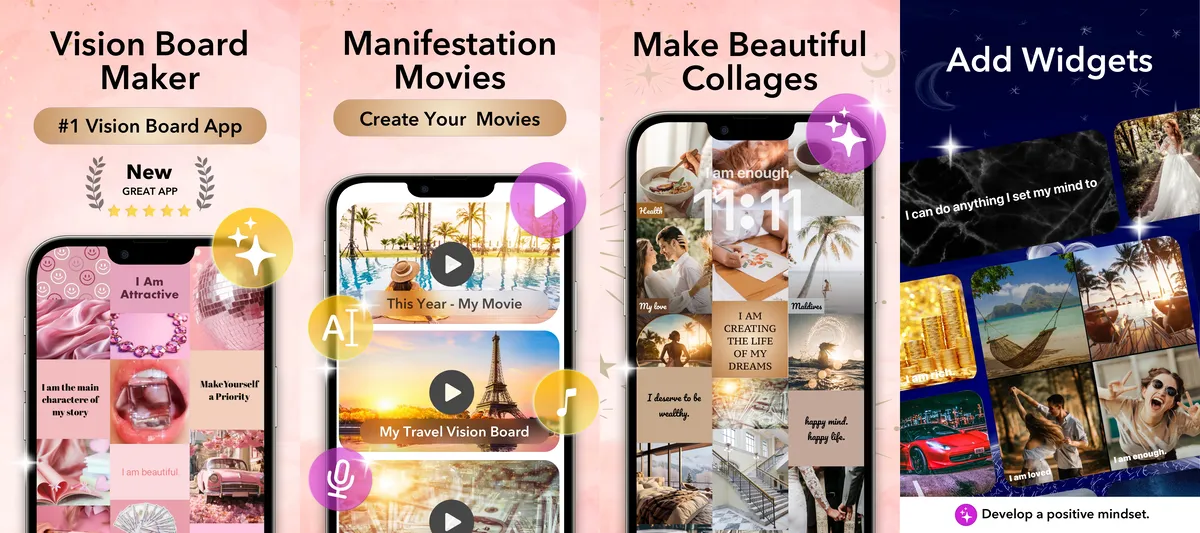
With Vision Board ++, your vision board becomes a Mind Movie. You can choose your own photos or images from a catalog containing millions of images. Then you can write your own affirmations or choose from thousands of pre-written ones. The app uses these to create a vision board video set to music. The affirmations are read aloud by one of many voices in various languages. You can also record your own voice directly in the app.
The app and its widgets remind you of your board and your affirmations. It also includes a gratitude journal and iCloud syncing. For $19 a year, you can use the entire daily ritual. That’s less than $2 a month.
✓ Pros
- Your board automatically becomes a video with music
- Spoken affirmations, even in your own voice
- Built-in image catalog and affirmation library
- Widgets and reminders for daily viewing
- Streaks and gratitude journal
✗ Considerations
- iPhone and iPad only (no Android)
- The video with music and voice requires a subscription
Bottom line: With Vision Board ++, your vision board quickly turns into a daily Mind Movie—with your own voice, if you’d like—for $19 a year.
Canva: Free-Form Design with Templates
Best suited for: anyone who wants to invest a lot of time in their video and doesn’t need templates like pre-written affirmations.
Not suitable for: those looking for quick results without any editing.
Price: Free download
Rating: 4.9★
View in the App Store
Canva is a design platform for graphics, presentations, and videos. To create your Mind Movie, choose a slideshow or video template. Then arrange your images, add your affirmations as text, and use Beat Sync to adjust the transitions to match your music.
You can record your voice as a voiceover right in the editor. Alternatively, you can have the text read aloud by an AI voice. You can then download the finished video as an MP4 file.
More work: Canva offers a lot of options. It takes significantly longer to create your first Mind Movie—making sure the template, images, text, timing, and music all work together—than it would with an app designed specifically for this purpose.
What Canva lacks for Mind Movies: a library of affirmations, since you have to write each one yourself. It also lacks viewing reminders, streaks to track your long-term progress, and a journal for your insights.
iMovie: Free Editing on iPhone
Best suited for: a free Mind Movie straight from your photo album.
Not suitable for: Android users.

Price: Free (from Apple)
Rating: 4.4★
View in the App Store
Save your photos in a separate album and select it in iMovie. The app will create a video from them with titles, transitions, and music. Then, replace the titles with your affirmations, adjust the duration of the photos, and, if needed, record your own voiceover for the affirmations.
What iMovie lacks for Mind Movies: an image library, pre-written affirmations, reminders, streaks, and a journal.
Mind Movies Creation Kit: Watching Ready-Made Mind Movies
Best suited for: Mind Movies members who want to watch their videos on the go.
Not suitable for: creating your own Mind Movie directly in the app.

Price: Free download; your own videos are available through a paid membership area
Rating: 2.9★
View in the App Store
The Mind Movies brand’s app offers nine free, pre-made Mind Movies on topics such as money, motivation, healthy living, and spirituality. It also includes a personality test and a daily inspiration. Members can create their own Mind Movie in the members’ area and then sync it with the app.
The app is designed more for playback than for editing. Its App Store reviews are rather lukewarm.
Mind Movies: The Brand’s Community App
Best suited for: Mind Movies customers who want to access courses, webinars, and their products all in one place.
Not suitable for: creating a Mind Movie.

Price: Free download
Rating: 3.6★
View in the App Store
Co-founder Natalie Ledwell uses this app to stay in touch with the community. There, you’ll find coaching programs, webinars, news, and the Mind Movies products you’ve purchased. You’ll earn rewards for active participation.
The app is available only in English. It was last updated in May 2025.
Common Mind Movie Mistakes
- Music that doesn’t fit the moment. Fast beats while falling asleep or calm sounds before a workout are more likely to work against your goal.
- Images that don’t stir anything in you. A random stock photo of a sports car won’t do you much good if what you really want is peace and quiet and time with your family.
Frequently Asked Questions
What is a Mind Movie?
A Mind Movie is a short, personal video featuring images of your goals, affirmations in the present tense, and music. It’s like a digital vision board in motion: You watch it at the right moment—before a workout, before an exam, as you’re falling asleep, or in the morning. This helps you stay motivated, relax, or focus on your goals.
Can I create a Mind Movie for free?
Yes. With free apps like iMovie on the iPhone or Canva, you can arrange your photos, add your affirmations as text, and set the whole thing to music. It’s even easier with a vision board app like Vision Board ++. It turns your board into a video with music and spoken affirmations. You’ll need a subscription for this ($19 per year, with a 3-day free trial).
What does a Mind Movie app offer that Canva or iMovie doesn’t?
You can edit a video using Canva or iMovie. However, these lack some features needed for a Mind Movie that you use every day. Vision Board ++ offers a library with thousands of affirmations and millions of images. You can record affirmations in your own voice or have them read aloud by a variety of voices. Reminders nudge you at the right time, streaks track your progress over weeks, and you can jot down your insights in the gratitude journal. Canva doesn’t offer affirmations, reminders, streaks, or a journal. With iMovie, you have to write each affirmation yourself and select all the images yourself.
Which app is best for creating a Mind Movie?
Vision Board ++ turns your vision board into a video with music and spoken affirmations—and, if you’d like, with your own voice. Canva and iMovie are good options if you want to edit your video yourself for free. The Mind Movies apps are primarily designed for watching finished videos and engaging with the community. You can create your own videos in the paid membership area.
Does a Mind Movie really work?
Research has been conducted on the individual components of a Mind Movie: Music can boost your mood and improve performance during exercise, reduce anxiety before surgery, and improve sleep quality when you’re having trouble sleeping. Specific “if-then” plans help you achieve your goals. A Mind Movie is therefore not a magic trick, but a tool for motivation, relaxation, and focus—it’s best to combine it with a specific step toward your goal.